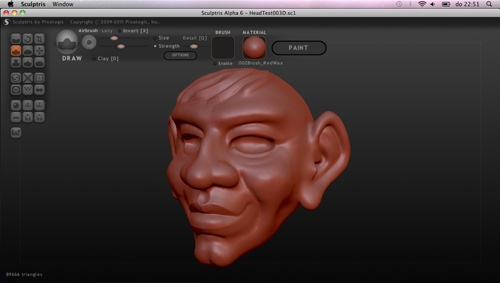
A couple of days ago I downloaded Sculptris, a free (for the time being?) sculpting program. I was already familiar with the program but now it is out for Mac OSX, my platform of choice. Most people know its bigger sister Zbrush, and Sculptris is in many aspects the minor but it trumps Zbrush in one, major, aspect: dynamic subdivision.
Dynamic subdivision means that Sculptris will subdivide the mesh there where you work when you need it, automatically. For me this is liberating on so many levels! First of all, you don’t have to worry about what detail to apply at what subD level. Second, no worry if your computer can handle the dense mesh since only the parts that need it get the high subdivision. Third, no more need of a base mesh, and that is a real biggy.
Zbrush already tried to eliminate the need of a base mesh with the Zspheres and Zspheres 2, but in my eye this was still limiting. You still had to do a lot of work before you could go sculpting. You could of course just get a sphere and start sculpting on that but soon you’d run into the limitations of whole-mesh subdivision, elongated polygons which limited sculpting, smoothing and detail.
The dynamic subdivision of Sculptris makes a huge difference in that regard. Not only does it take the mind off the managing of subD levels, it can actually generate geometry! As a simple example, in both Zbrush and Sculptris get a sphere and pull out the shape of a long beak of a bird. In Zbrush you’ll get elongated polygons instantly but not in Sculptis. This ‘simple’ change in approach between the two programs has a huge impact on the workflow. Sculptris really manages to make the sphere on the screen feel like digital clay.
And that, to me, is nothing short of a revolution.